Data centre migration
Your refreshed Causeway Support Portal is now live
Explore the refreshed portal to find product-specific guidance, raise support requests and keep track of updates in one place.
You can now share details and files when raising a request, follow its progress and include colleagues in the conversation. Your account information is also easy to find, alongside FAQs, troubleshooting advice, release notes and other product guidance.
Whether you already use the Support Portal or are new to it, the refreshed experience gives you more ways to find the right information and stay up to date with your requests.
Last updated 19 October 2026.
Here's everything you need to know:
A closer look at the refreshed experience
The refreshed Support Portal brings together the information, guidance and support activity that matters to you in one clearer view.
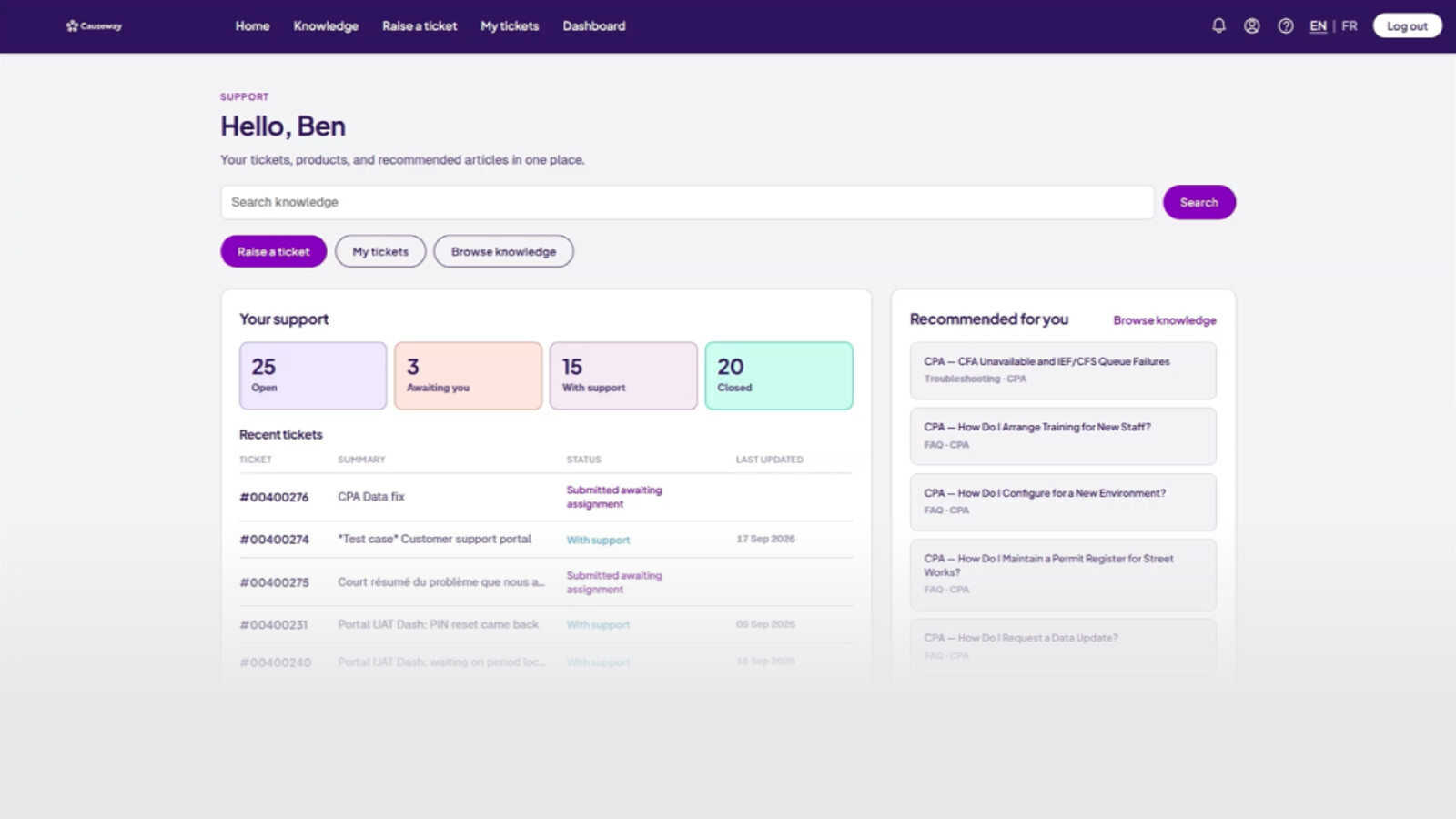
Your homepage brings together the support activity and information most relevant to you, so you can quickly see what needs your attention.
See your support activity
View open requests, recent activity and anything awaiting your input.
Find useful information
Access your products, relevant knowledge content and key account information in one place.
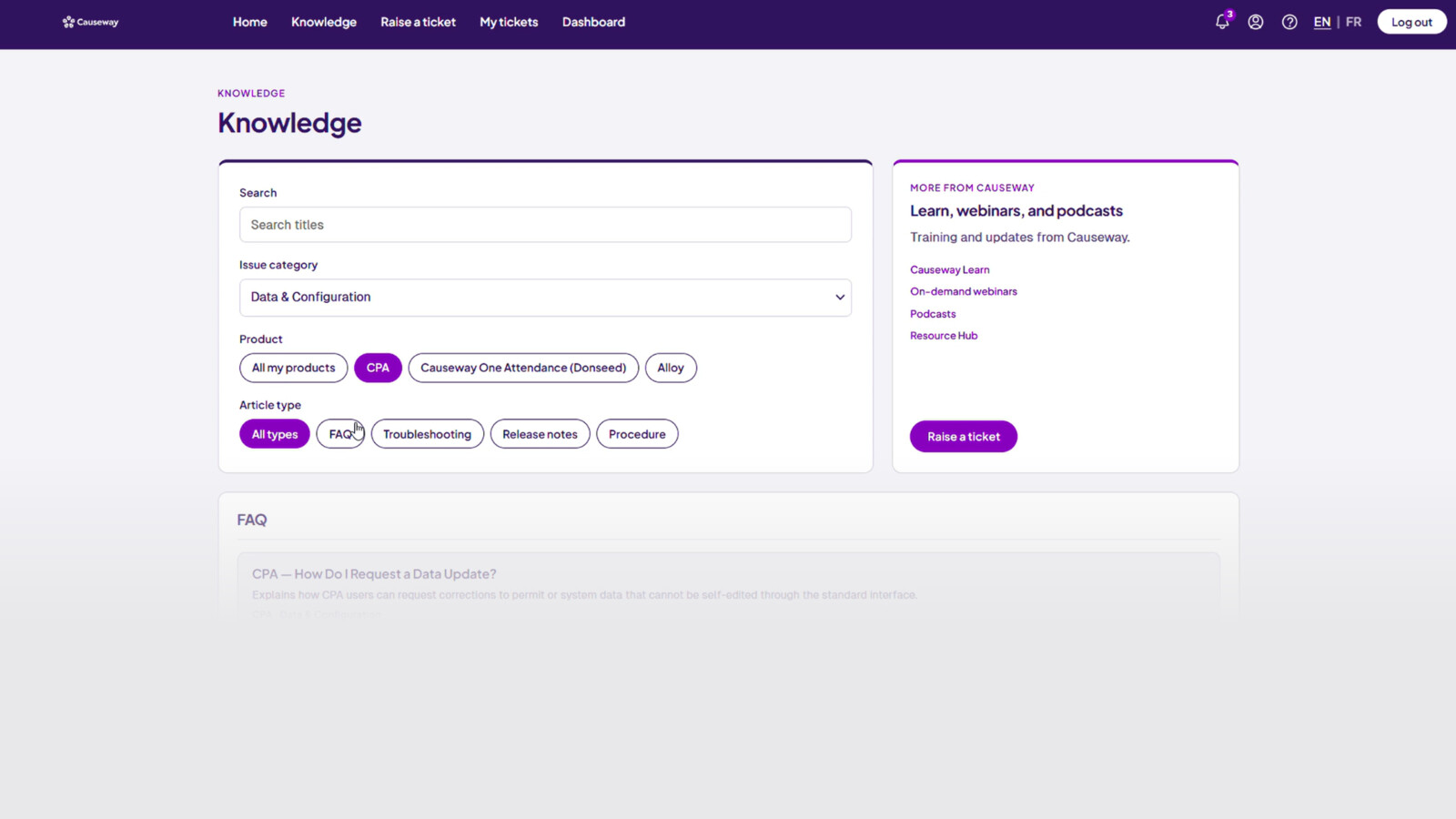
The Knowledge Hub brings together FAQs, troubleshooting, release notes and guidance for the Causeway products your organisation uses.
Explore product guidance
Browse content tailored to the Causeway products your organisation uses.
Get to the right answer
Filter by product, category and content type to find what you need.
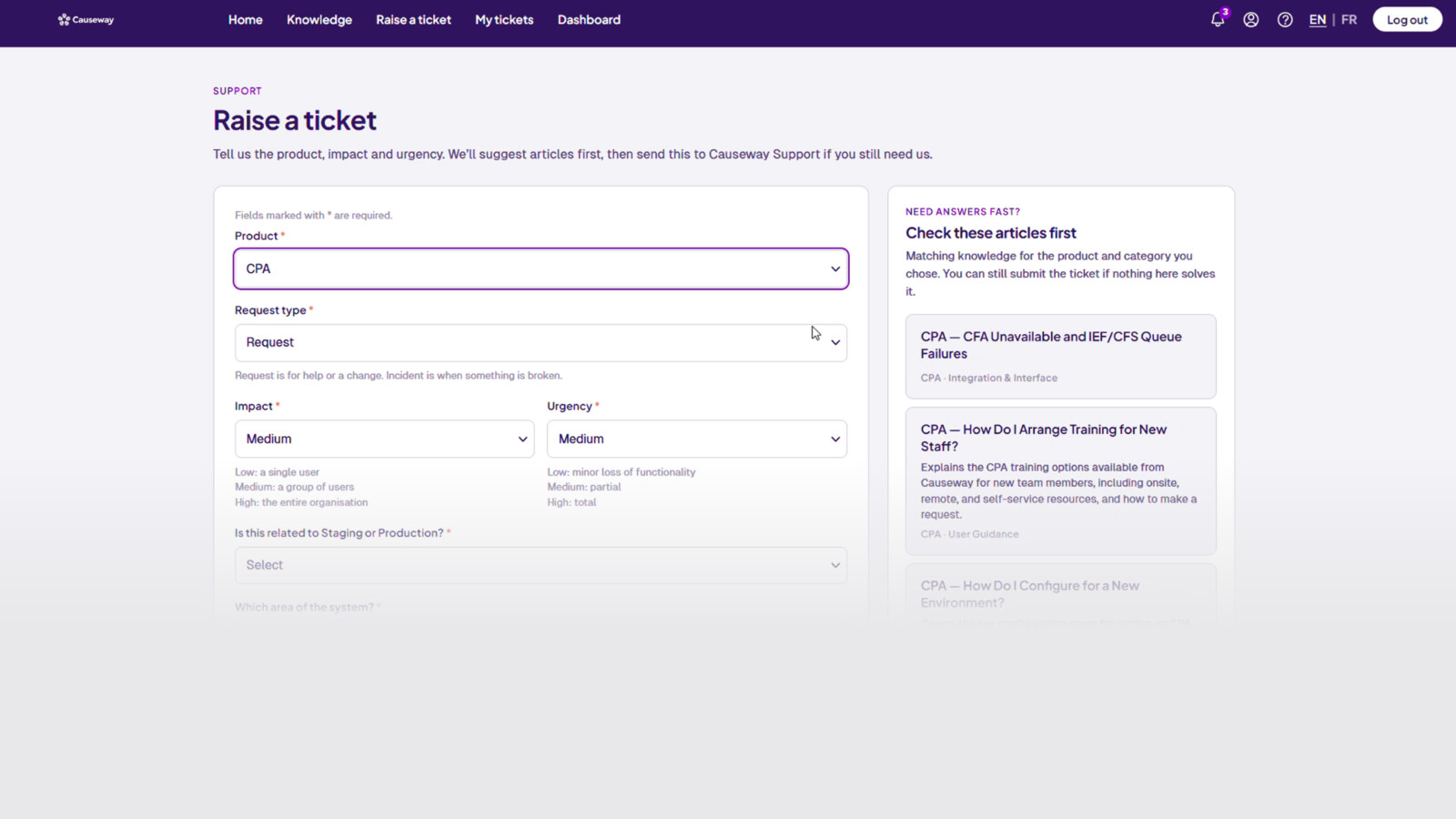
Share the right detail from the outset, then keep track of every request and update in one place.
Share the right detail
Add the product, issue, impact and supporting files from the outset, so our Support team can focus on getting you the help you need.
Stay up to date
See request statuses, updates and files together, and include colleagues where needed.
See your support activity
View open requests, recent activity and anything awaiting your input.
Find useful information
Access your products, relevant knowledge content and key account information in one place.
Explore product guidance
Browse content tailored to the Causeway products your organisation uses.
Get to the right answer
Filter by product, category and content type to find what you need.
Share the right detail
Add the product, issue, impact and supporting files from the outset, so our Support team can focus on getting you the help you need.
Stay up to date
See request statuses, updates and files together, and include colleagues where needed.
What happens from the 19th October?
The refreshed Support Portal is live. Whether you already use it or are signing in for the first time, here’s what to do.
I already have access to the Support Portal
Sign in as usual to explore the refreshed homepage, Knowledge Hub and request experience.
I would like to start using the Support Portal
Request access at support.causeway.com by selecting Request access. Our Support team will verify your request and be in touch with access details.
Do I need to do anything?
If you already use the Support Portal, you can sign in and explore the refreshed experience.
If you’re new to the portal, select Request a access at support.causeway.com to request access.
A message from Dr. Sebastien Vilfayeau, Causeway's Director of Adoption
“Supporting our customers is every bit as important to us as the products we provide. When you have a question, need guidance, or something is not working as it should, you need to know the right help is there when you need it. We hope those moments are rare, but when they do happen, getting support should feel clear, simple and straightforward.
The refreshed Support Portal is an important part of that commitment, giving customers a better way to find useful information, share the right details, track requests and stay informed as we work to resolve their needs. Customer success is about more than simply providing a solution: it is about helping customers successfully use Causeway to achieve their business outcomes, with the right support, at the right time, through an experience that helps them get the greatest value from our solutions.”

What is happening?
We're extending CausewayOne to e-Invoicing and Supplier Management portal users, bringing buyers, suppliers and portal users together within a single connected experience.
By bringing everyone onto the same platform, we're simplifying the way users access our services today while creating a more connected experience that supports future improvements across our e-Invoicing and Supplier Management solutions.
Why is this happening?
We're extending CausewayOne to portal users, bringing buyers, suppliers and portal users together within a single connected experience.
This helps us simplify access today while supporting future improvements across our e-Invoicing and Supplier Management solutions.
What is changing
From 21st July, portal users will sign in to Causeway's e-Invoicing and Supplier Management solutions through CausewayOne at one.causeway.com.
Portal users will no longer be able to sign in through tradex.causeway.com.
The way users sign in is changing, but existing functionality, integrations, data and business processes will continue as normal.
What does this mean for you?
If you're a Causeway customer, no action is required. Causeway will manage the transition in full, including communications, guidance and support for affected portal users.
If you're a portal user, we'll contact you directly before the transition with everything you need to sign in through CausewayOne.
We'll also provide supporting resources should you wish to communicate the change within your organisation or wider supply chain.
Frequently Asked Questions
Visit support.causeway.com and select Request access. Our Support team will review your request and be in touch with access details.
The portal gives you a clearer view of your support requests and a convenient place to find relevant product guidance.
When you raise a request through the portal, you can share the key details and supporting information from the outset. This gives our Support team the context they need to begin looking into your request, while giving you clearer visibility of its progress, updates and any actions needed from you.
The Knowledge Hub includes FAQs, troubleshooting articles, release notes and guidance relevant to the Causeway products your organisation uses. You can filter by product, category and content type to find the most relevant information.
Yes. You can add screenshots and supporting files when raising a request, and attachments will remain visible alongside the relevant message within the request conversation.
You will be able to see request statuses, messages and updates in the portal. You will also receive email notifications when there is an update.
- Open: Your request has been logged.
- With Support: Our Support team is reviewing or working on your request.
- Awaiting You: We need further information or an action from you.
- Closed: Your request has been resolved or completed.
Yes. You can include colleagues in the request conversation, helping the right people stay up to date.
Which products are affected?
Enquiries / eTender |
CMF |
CLM |
CausewayOne Enquiries |
Tradex (FTP / SMTP) |
CPA |
CFA |
BPM |
Vision |
Mobile Workforce |
Scheduling |
CPI |
Causeway Estimating |